
Introduction
Most pages lose ranking potential before they even go live. A title tag gets truncated. A heading skips a level. A schema block breaks during a template update. None of this shows up until traffic drops or a client asks why a page isn't performing.
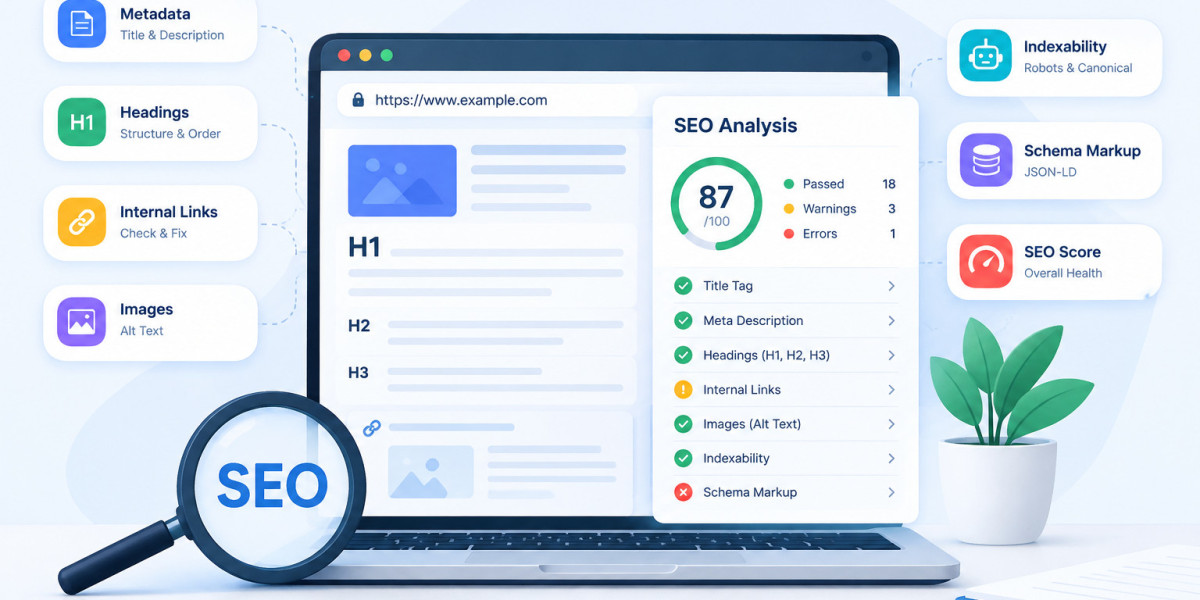
A website SEO analyzer catches these problems early. It reviews a single page for the signals that search engines and AI answer engines actually read. This includes metadata titles headings internal links images indexability and schema markup.
This guide explains what a website SEO analyzer checks why each signal matters and how to turn a report into a clear list of fixes. You will also see how a free website SEO checker like WRanker's Website SEO Analyzer fits into a normal publishing workflow whether you are running a quick seo page checker before launch or a deeper on-page seo audit after a migration.
What Is a Website SEO Analyzer
A website SEO analyzer is a tool that reviews one page at a time. You give it a live URL or paste in raw HTML. It reads the page the way a crawler would and reports back what it finds. Some people call this a seo page checker. Others call it a free seo audit tool. The name changes but the job stays the same. Look at one page and surface the on-page signals that decide whether it can compete in search.
What Does an On-Page SEO Checker Actually Test
A page checker inspects the elements that live inside the HTML. That includes the title tag meta description canonical tag and Open Graph data. It also reads the H1 and H2 structure counts internal links checks image alt text and looks for JSON-LD schema. Some tools add status codes redirect chains and robots directives to the same report.
Website SEO Analyzer vs Full Site Audit
A website SEO analyzer looks at one URL and gives you a page-level snapshot. A full site audit crawls hundreds or thousands of URLs and shows patterns across templates and sections. Use a single-page checker when you need a fast answer about one page. Use a full audit when an issue might repeat across a whole site or a whole template.
URL Mode vs HTML Mode
URL mode fetches a live page the way a search engine would. HTML mode lets you paste source code before it goes live. This second mode is useful during development or staging when the page has no public URL yet. Both modes should return the same categories of findings.
What an SEO Score Really Means
An SEO score is a summary of the checks a tool completed for one page. It is not a Google ranking signal. Different tools weight checks differently so scores are not comparable across platforms. Treat the score as a starting point and read the underlying findings before deciding what to fix.
Why a Website SEO Analyzer Matters Before You Publish
Page-level problems are easy to miss during a normal content or development workflow. A short check before publishing catches issues while they are still cheap to fix.
What Happens If Metadata Issues Go Unnoticed
A missing or duplicate title tag confuses search engines about what the page is about. A missing meta description means Google writes its own snippet which often hurts click-through rate. Open Graph gaps make shared links look broken on social platforms. None of these problems trigger an obvious error. They just quietly reduce visibility and clicks.
How Weak Headings Hurt Rankings and AI Overviews
Search engines and AI answer engines use heading structure to understand what a page covers section by section. A missing H1 skipped heading levels or duplicate headings make that structure harder to read. This can reduce a page's chances of being pulled into a featured snippet or cited inside an AI Overview.
Why Indexability Signals Get Missed
A stray noindex tag a blocked robots directive or an unexpected canonical pointing to another URL can remove a page from search results entirely. These settings are often changed by accident during a template update or a redirect migration. A page can look fine visually while still being invisible to search engines.
What Broken Internal Links and Alt Text Cost You
Broken internal links waste crawl budget and send visitors to dead pages. Missing alt text on images removes a ranking opportunity in image search and hurts accessibility for users who rely on screen readers. Both issues are easy to fix once they are flagged but easy to miss during manual review.
How to Run a Website SEO Analysis Step by Step
Running a check takes a few minutes. Following the same sequence each time keeps your findings consistent across pages.
Step 1: Enter a URL or Paste HTML
Start with the live URL of the page you want to review. If the page is still in staging or not yet public paste the raw HTML instead. Either method should produce a full report covering the same categories.
Step 2: Choose Your Settings
Pick a user agent so the tool fetches the page the way desktop or mobile visitors would see it. Set a timeout so slow pages don't stall the check. Decide whether to follow redirects and whether to compare the declared canonical against the resolved one.
Step 3: Run the Analysis
The tool fetches the page and reads its metadata headings content links images indexability signals and schema in one pass. This usually takes only a few seconds for a single URL.
Step 4: Review and Prioritize Findings
Findings are grouped by category so you can scan metadata content links and technical signals separately. Read each finding before acting on it. Some are critical. Others are context-dependent recommendations that may not apply to every page.
What to Check in Every On-Page SEO Report
A complete report should cover four areas. Skipping any one of them leaves a blind spot in your page-level SEO.
Metadata and Social Tags
Confirm the title tag and meta description exist are unique and describe the page accurately. Check that the canonical tag points where you expect. Review Open Graph and Twitter Card tags so shared links render correctly with the right title description and image. A Meta Tags and Social Preview tool is useful here if you want to see exactly how a page will look once it is shared.
Heading Structure and Content Quality
Check that the page has exactly one H1 and that H2s and H3s follow a logical order without skipped levels. Flag duplicate headings since they confuse both readers and search engines. Word count signals can also flag pages that are too thin to compete for their target query. A dedicated Heading Structure Checker is worth running separately on pages where heading hierarchy problems keep coming up.
Internal Links and Image Alt Text
Review internal links for correct destination URLs descriptive anchor text and appropriate rel attributes. Flag any images with missing or empty alt attributes since they lose both accessibility value and image search visibility.
Indexability and Schema Markup
Check status codes and redirect chains to confirm the page resolves the way you expect. Review robots meta tags and X-Robots-Tag headers for accidental noindex or nofollow directives. Validate any detected JSON-LD schema so structured data errors don't block rich results. A Schema Markup Validator can confirm the fix once you've made a change.
How to Prioritize and Fix What You Find
Not every finding deserves the same urgency. A short prioritization pass turns a long report into a short action list.
Which Issues to Fix First
Start with anything that blocks crawling or indexing. A noindex tag on a page meant to rank or a canonical pointing to the wrong URL should be fixed immediately. After that move to metadata gaps and missing H1s since both affect how the page is understood and displayed. Lower-priority items like minor anchor text wording can wait.
Common Mistakes Teams Make After a Check
Chasing a perfect score wastes time on changes that don't move rankings. Fixing every warning without checking whether it applies to the page's actual intent can also do more harm than good. Read each finding in context before making a change instead of treating a report as a checklist to clear.
How Often to Recheck a Page
Run a check before publishing an important page and again after any major content or template change. Recheck after fixing a redirect or canonical issue to confirm the fix worked. High-value pages that change often deserve more frequent checks than static pages that rarely get touched.
When to Move From a Single Page Check to a Full Audit
If the same issue shows up on more than one page it likely lives in a shared template. At that point a single-page checker can't show you the full scope. A full site audit crawls every URL and groups findings by pattern so you can fix the template once instead of page by page.
Who Should Use a Website SEO Analyzer
Different roles use a page checker for different reasons but the goal is the same. Catch problems before they cost visibility.
Marketers and Founders
Run a check before launching a landing page or a paid campaign. A clean page-level report means traffic isn't wasted on a page with broken metadata or a blocked indexing signal.
Writers and Editors
Check heading structure metadata and image alt text before publishing new content. This catches structural issues that are easy to miss when focused on the writing itself.
Technical SEOs and Developers
Review redirects canonicals schema and indexability signals after a deployment or migration. These are the checks most likely to catch a regression introduced by a code change.
Agencies
Use page-level findings to build a clear shareable report for clients. A structured report backed by specific findings is easier to act on than a general recommendation.
How a Website SEO Analyzer Supports AI Search Visibility
Search results now include AI Overviews and chat-based answer engines alongside the traditional blue links. A page-level checker cannot guarantee a citation in either one but it strengthens the foundation both systems rely on.
Why Structured Data Matters for AI Answers
JSON-LD schema tells search engines and AI systems exactly what a page is and how its content is organized. A validated schema block removes ambiguity that might otherwise stop a page from being pulled into a rich result or an AI-generated answer. Checking schema during a normal on-page review catches errors before they cost visibility.
Why Clear Headings Help Content Get Cited
AI Overviews and chat engines tend to pull short direct answers from clearly labeled sections. A page with a logical H1 through H3 structure gives these systems an easy section to quote. A page with skipped heading levels or vague labels is harder to extract from even when the underlying content is strong.
How Technical Accessibility Ties Into AI Visibility
An AI system can only cite a page it can crawl and read. A blocked robots directive a broken redirect chain or a slow-loading page removes that page from consideration before content quality even enters the picture. Running a technical seo checker as part of your normal workflow keeps that door open.
Where AI Visibility Tracking Fits Next
A website SEO analyzer confirms the on-page foundation is solid. It does not tell you whether a page is already being cited in AI answers or how it compares to competitors on that front. For that a dedicated AI visibility tool tracks citations across engines like Google AI Overviews and ChatGPT and shows where the gaps are.
Summary
A website SEO analyzer gives you a fast page-level view of the signals that affect search visibility. It checks metadata headings internal links images indexability and schema in one pass. Used before publishing or after a template change it catches problems while they are still cheap to fix. For issues that repeat across a template or a whole site pair it with a full site audit.
Conclusion
Page-level SEO problems rarely announce themselves. A title tag goes missing. A canonical points to the wrong page. A schema block breaks during a redesign. None of it looks wrong until rankings or clicks start slipping. Running a website SEO analyzer before you publish and after every major change closes that gap. It turns invisible problems into a short list you can act on right away.